This document outlines a specific feature of Order Delivery, read about all the features in our overview.
Order Delivery v4 introduces a new feature that provides granular control over pickups.
Prior to v4, delivery settings were configured using days, timeframes, and ranges. If merchants wanted to use these same settings for pickups, they could enable the following option:

When this option was enabled and a customer selected pickup at checkout, the configured delivery days, timeframes, and ranges were applied to pickups, with Pickup shown in the labels.
While this made it possible to support pickup scenarios, it also meant that delivery and pickup shared the same configuration. As a result, maintaining separate days, timeframes, and ranges for delivery and pickup was difficult and cumbersome.
New Setting
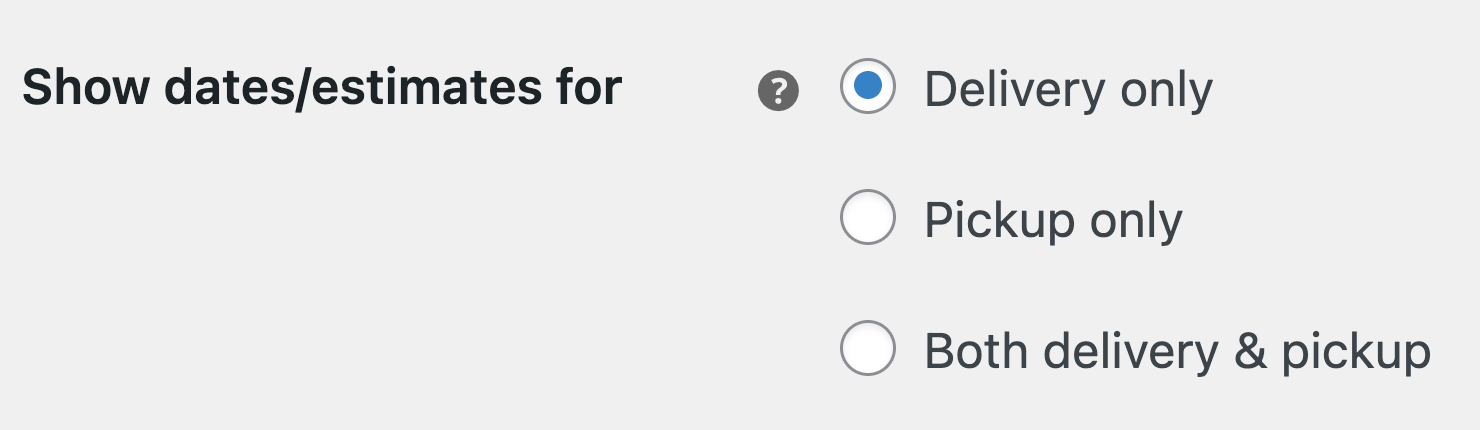
Depending on the option selected, you’ll see separate tabs for Delivery scheduling and Pickup scheduling.

These two scheduling tabs allow you to define days, timeframes, and ranges independently for delivery and pickup, giving you significantly more flexibility and control over how each option is configured.
Migration
These migration steps are only required if you previously used the “Enable for local pickup” setting.
Because your delivery days, timeframes, and ranges may include specific shipping method rules, Order Delivery will automatically set Show dates/estimates for to Delivery only during the migration to v4. This ensures all existing data remains intact, as it is currently stored under delivery.
You can then change this setting to Pickup only or Both delivery & pickup, as needed, and reconfigure the days, timeframes, and ranges separately under Delivery scheduling and Pickup scheduling to match your requirements.
Example
You previously had Enable for local pickup enabled.
You had the following delivery days and timeframes configured:
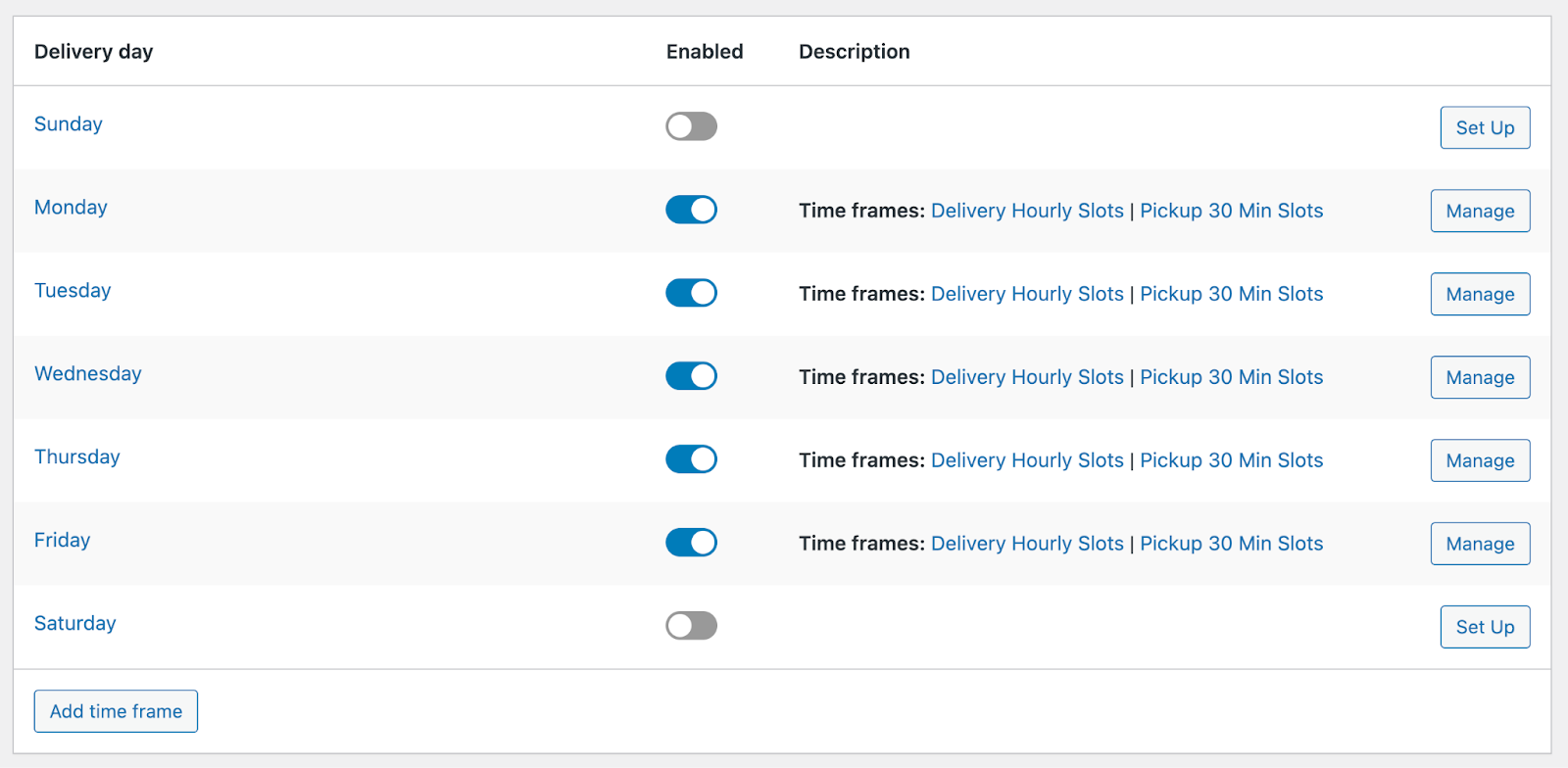
The settings for your Delivery Hourly Slots were:

The settings for your Pickup 30 Min Slots were:
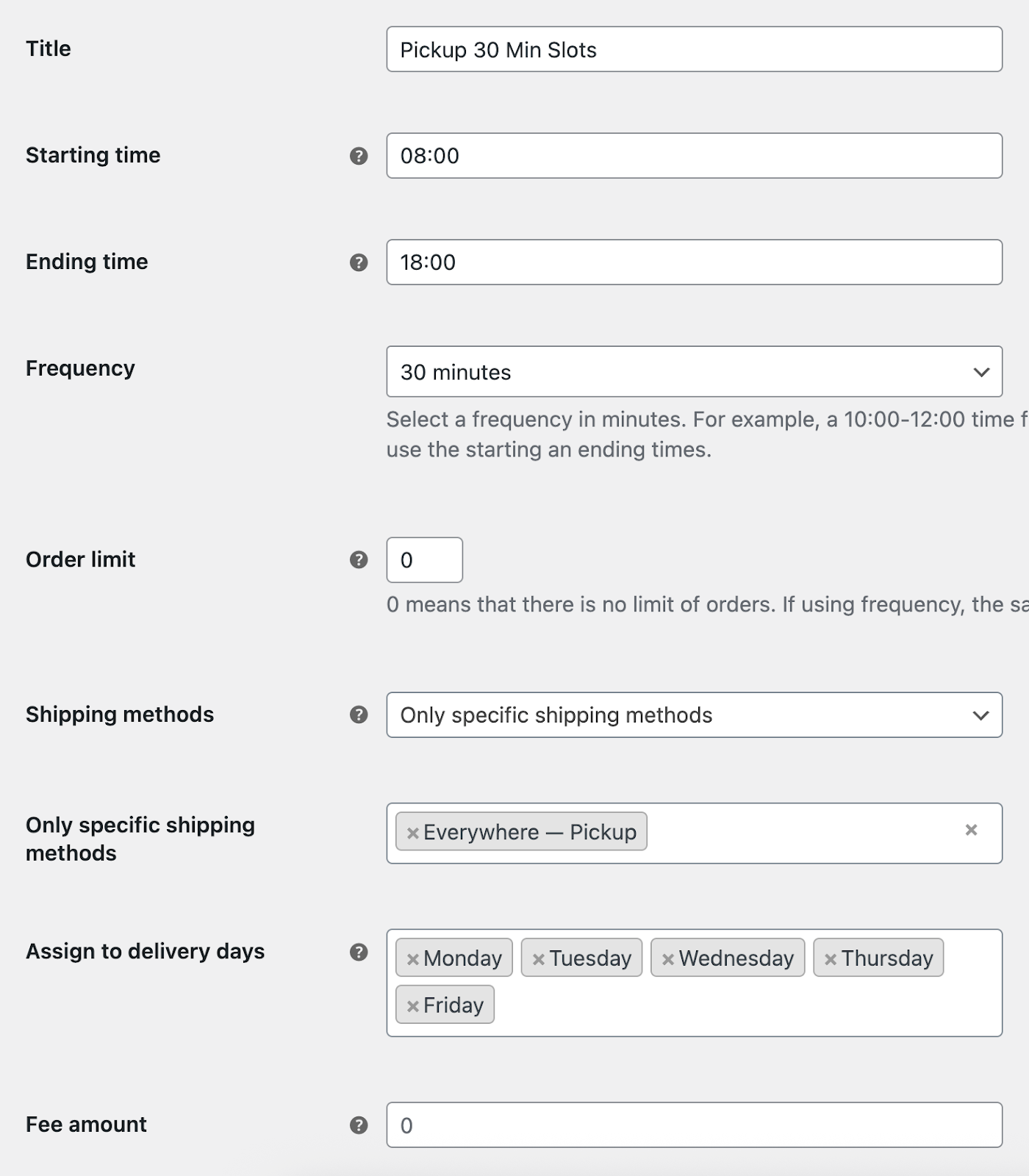
In Delivery scheduling, remove the Pickup 30 Min Slots timeframe.
Then, in Pickup scheduling, enable the pickup days and add your pickup timeframes – effectively recreating the previous Pickup 30 Min Slots configuration.
If you have any custom Advanced delivery ranges (i.e. non-default ranges), these will also need to be updated to split delivery-specific and pickup-specific ranges accordingly.
Tips
Because this data is now entered under Pickup scheduling, it is directly tied to the customer’s checkout selection. As a result, you may no longer need to assign timeframes to specific shipping methods – this was previously used as a workaround to separate delivery and pickup timeframes.
It’s recommended that you review all days, timeframes, and ranges in both Delivery scheduling and Pickup scheduling. You may have previously configured order limits that applied collectively to both delivery and pickup, and you may now want to reconfigure these limits independently for each option.
Can this be done automatically?
No. We considered automatically migrating this data during the upgrade, but due to the wide variation in how merchants configure delivery and pickup, this approach wasn’t safe. Automatic migration would require making assumptions that may not be correct – for example, how order limits should be split between delivery and pickup.
While this process may require some manual reconfiguration, the end result is fully independent delivery and pickup days, timeframes, and ranges. This provides significantly greater flexibility moving forward and enables us to introduce new features in the future that simply weren’t possible under the previous setup.