


With saved cards turned on, logged-in customers can store a card and pay with it next time, and WooCommerce Subscriptions and WooCommerce Pre-Orders can charge it automatically. USA ePay stores the card; your store keeps a reference to it, with the card type, last four digits and expiration.
When you’d use this
- Let returning customers check out without entering their card again.
- Charge subscription renewals with WooCommerce Subscriptions or Constellation’s built-in recurring billing.
- Take payment for pre-orders when they’re released, with WooCommerce Pre-Orders.
Turn on saved cards
Go to WooCommerce » Settings » Payments » USA ePay, turn on Tokenization and click Save changes.
Logged-in customers then see an option to save their card under the card form at checkout (Securely Save to Account on the classic checkout), and can add a card under My account » Payment methods without placing an order. When a cart needs a saved card, such as a cart with a subscription, the card is saved without asking.
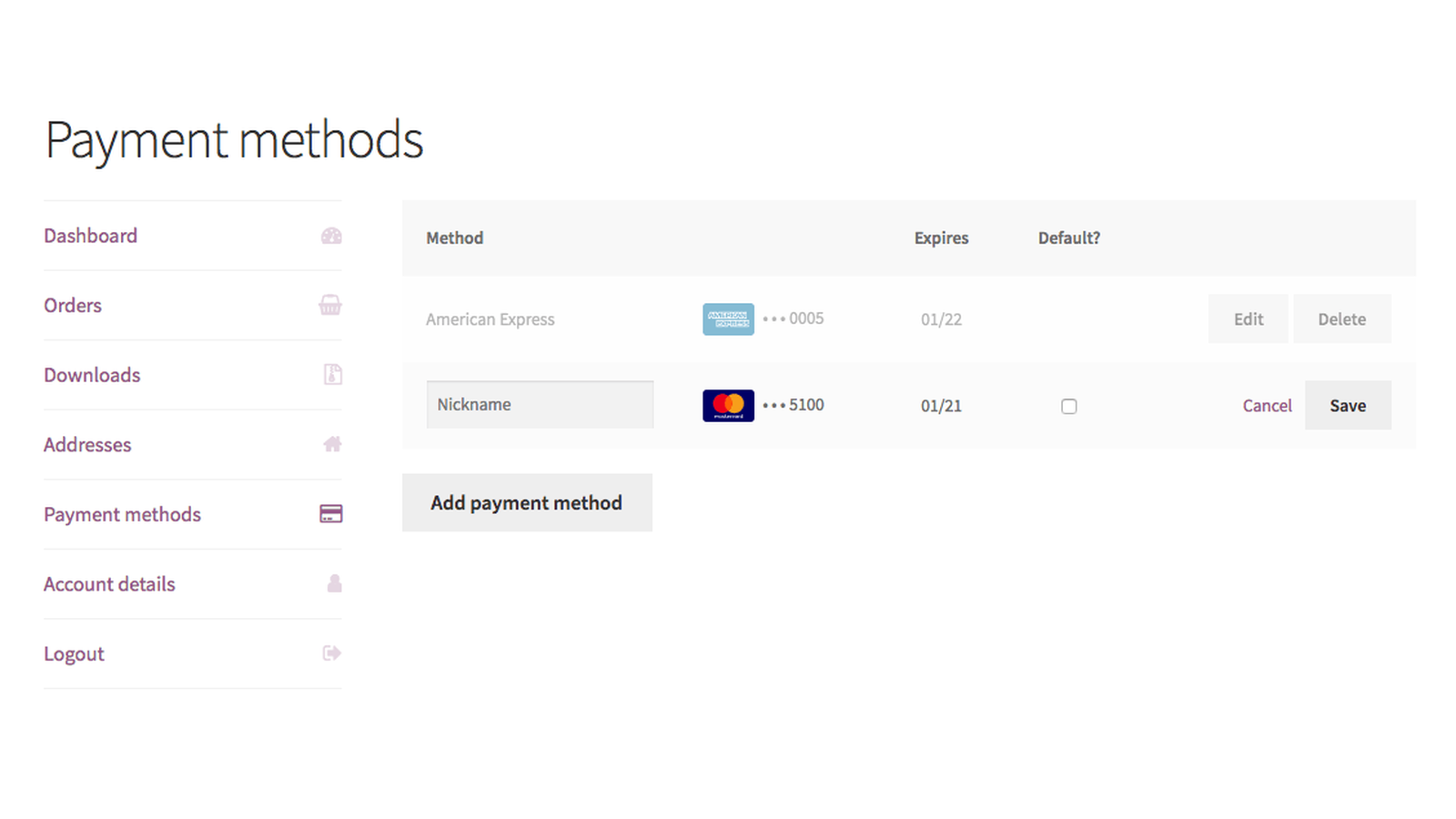
With Saved Card Security Code on (the default), customers enter the card’s security code again when they pay with a saved card.
What customers can do
Under My account » Payment methods, customers can:
- Add a card.
- Choose which saved card is their default.
- Delete a card they no longer want to use.
At checkout, they pick a saved card or choose Use a new card.
Update an expired card
A saved card’s details can’t be changed. When a card expires or is replaced, the customer deletes it under My account » Payment methods and adds the new card. If a subscription used the old card, they then change the subscription’s payment method to the new card from the subscription in My account.
Subscriptions and Pre-Orders
With Tokenization on, USA ePay for WooCommerce supports:
- WooCommerce Subscriptions: automatic renewals charged to the saved card, payment method changes, renewal date changes and failed payment retries. Renewals are flagged to USA ePay as recurring payments.
- Constellation’s built-in recurring billing, which runs on the same subscriptions engine.
- WooCommerce Pre-Orders: the saved card is charged when the pre-order is released.
If either plugin is active and Tokenization is off, the admin shows "USA ePay is inactive for subscription transactions. Please enable tokenization to activate USA ePay for Subscriptions." (or the same message for pre-order transactions). Turn on Tokenization to clear it.
Manage a customer’s saved cards
Go to Users, edit the customer and scroll to USA ePay for Payment Tokens. It lists their saved cards with the card type, last four digits and expiration, and lets you remove one.
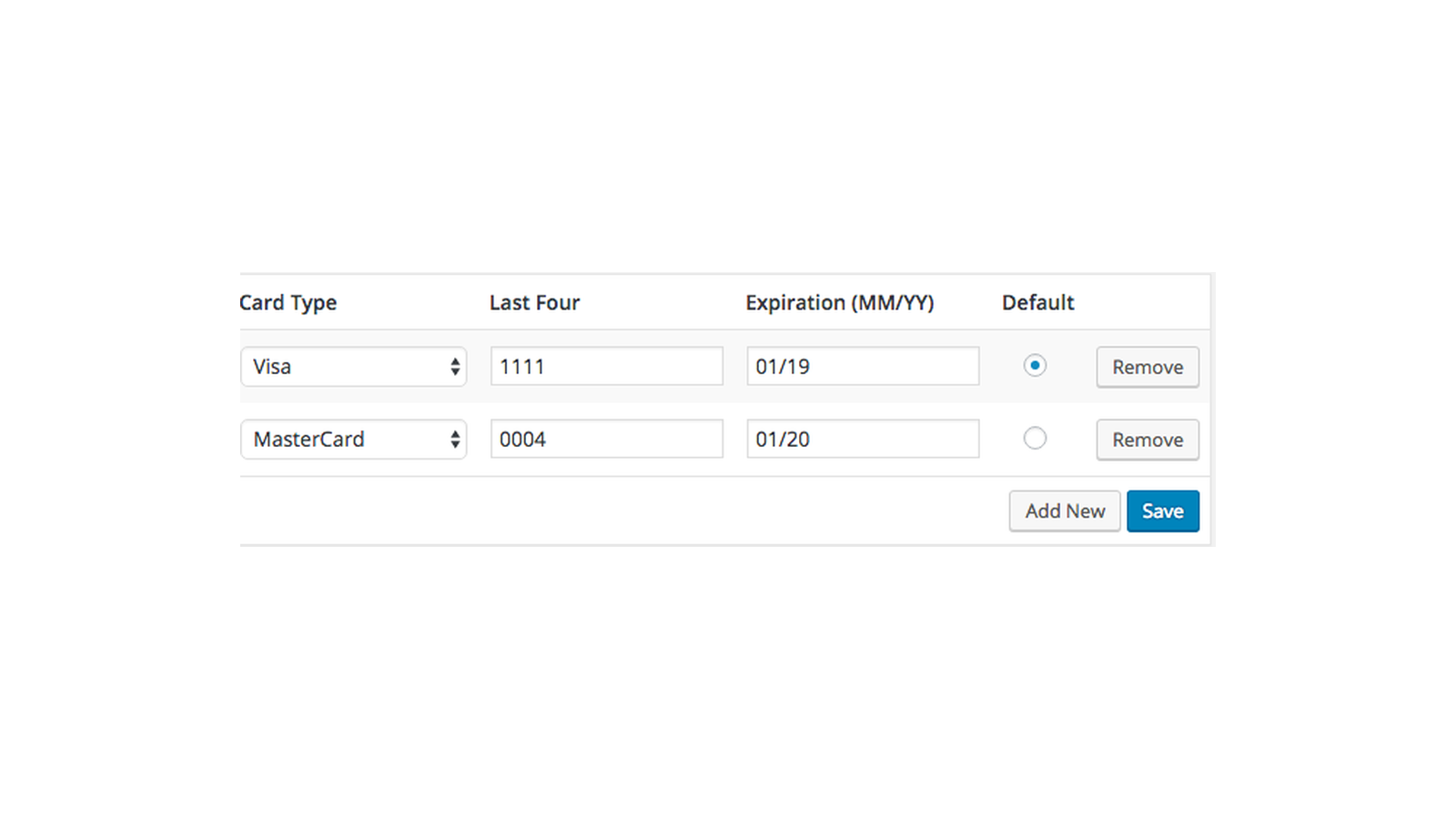
Saved cards belong to an environment, so cards saved while testing in Sandbox don’t show or work in Production.
Common issues
There’s no option to save the card
Tokenization is off, or the customer isn’t logged in.
A renewal failed after the customer’s card expired
The saved card still has the old expiration. Ask the customer to add their new card under My account » Payment methods and switch the subscription to it, then retry the renewal order.
"USA ePay is inactive for subscription transactions."
WooCommerce Subscriptions or Constellation is active, but Tokenization is off. Turn it on in the gateway settings.
Keep learning
- Get started with USA ePay (Tokenization and Saved Card Security Code)
- Capture and refund USA ePay payments