



The proper way to discontinue WooCommerce products
Take control over discontinued products – make sure they don’t disappear from search results.
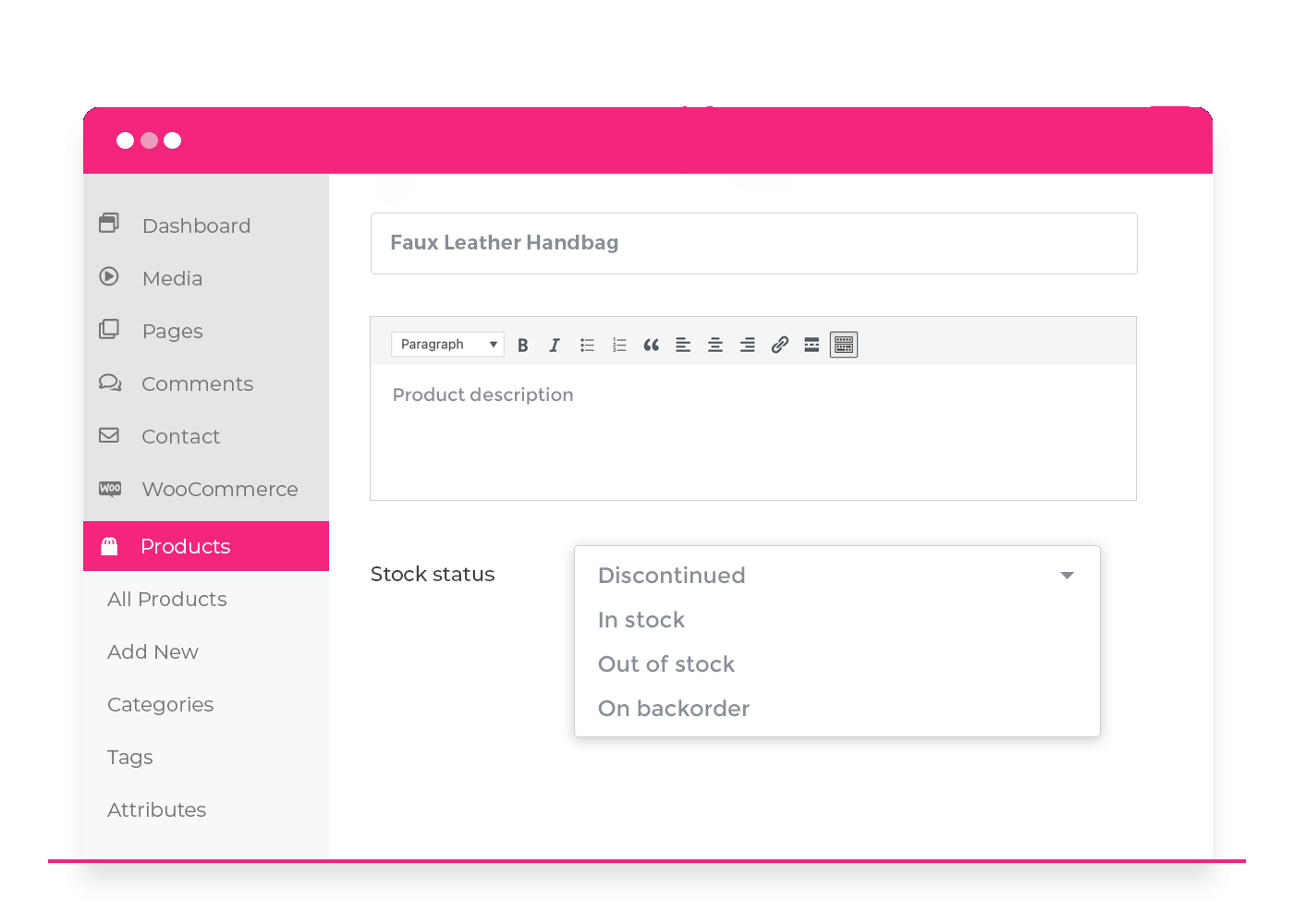
Quickly mark products as discontinued
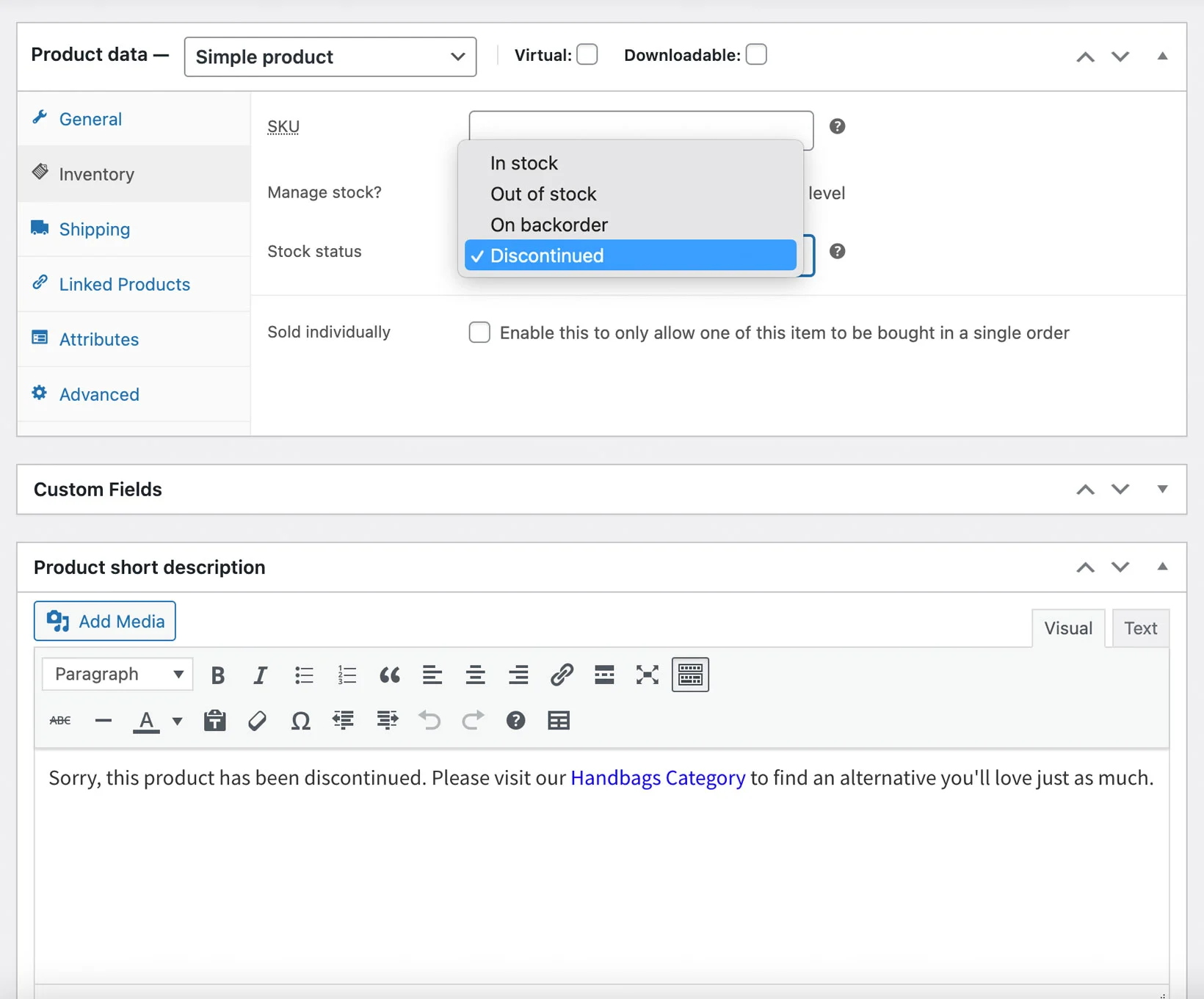
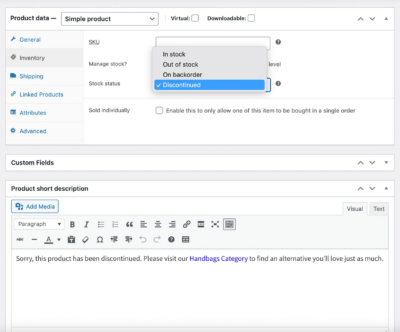
- Add a ‘Discontinued’ stock status to WooCommerce
- Either discontinue products or variations immediately, or when the stock level reaches zero
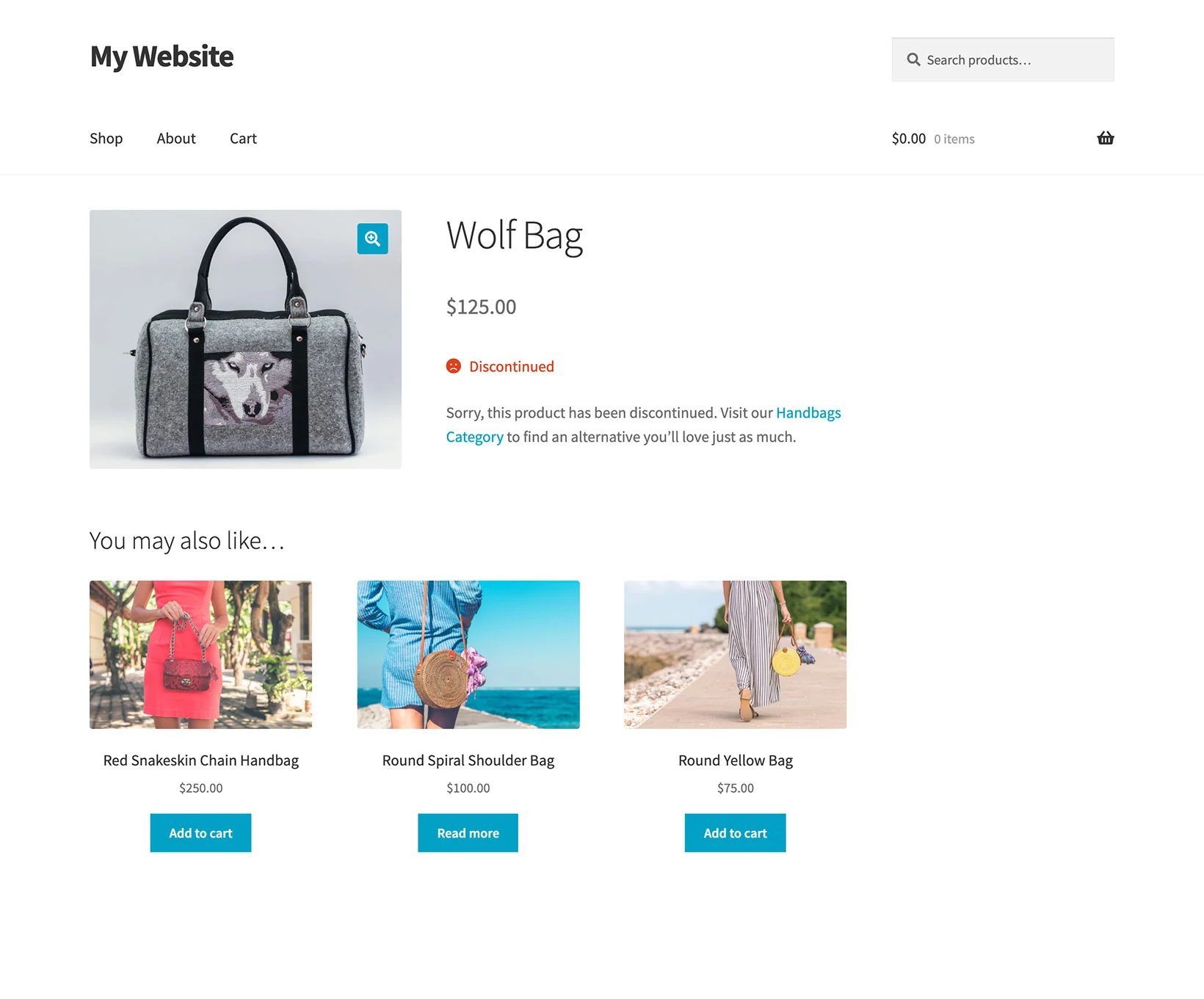
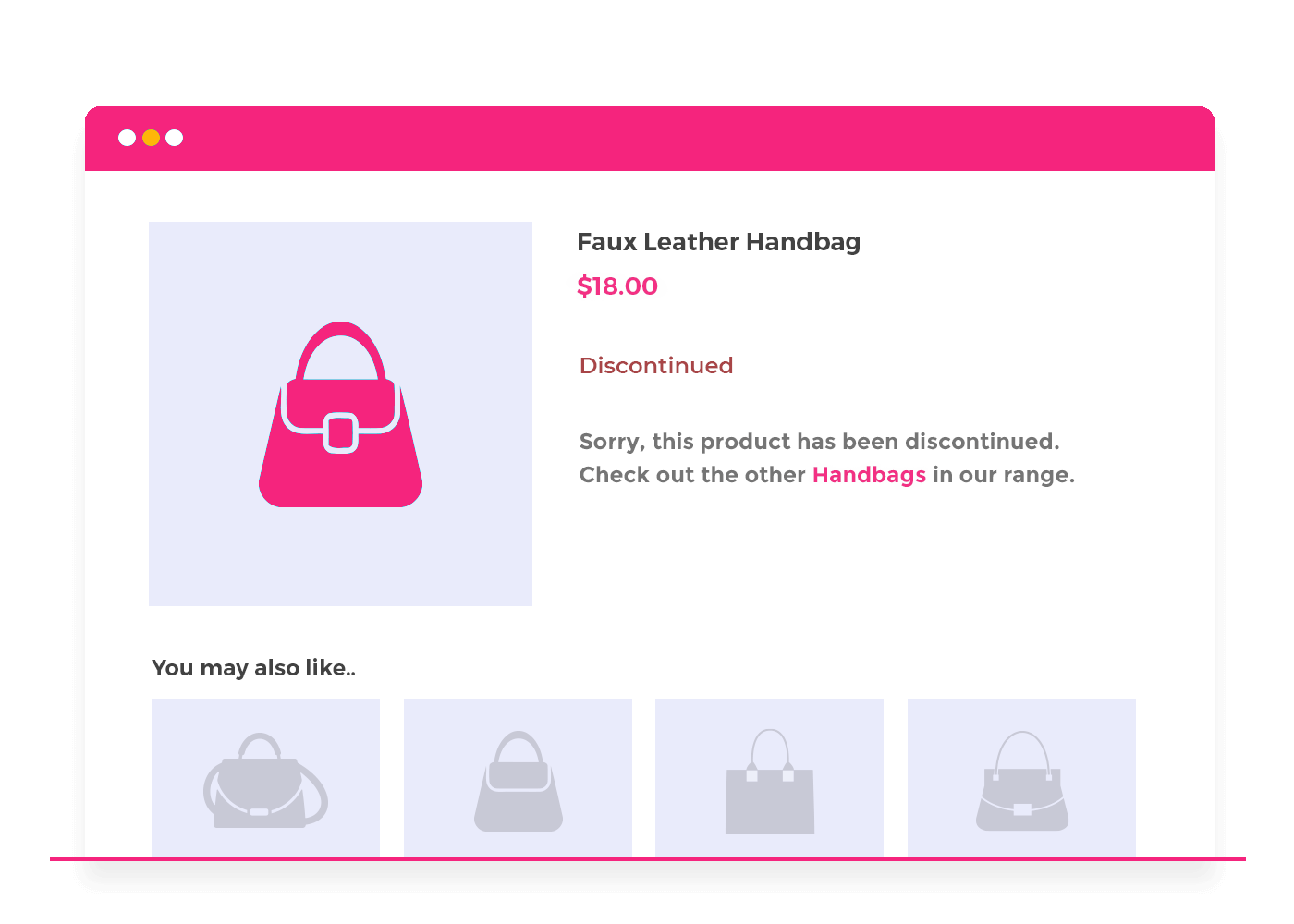
- Display a custom discontinued message
Keep search engines happy
- Choose whether to show or hide WooCommerce discontinued products in your store
- Keep the product page alive without confusing shoppers (good for SEO!)
- Recover lost sales by directing customers to alternative products
Easy backend reporting
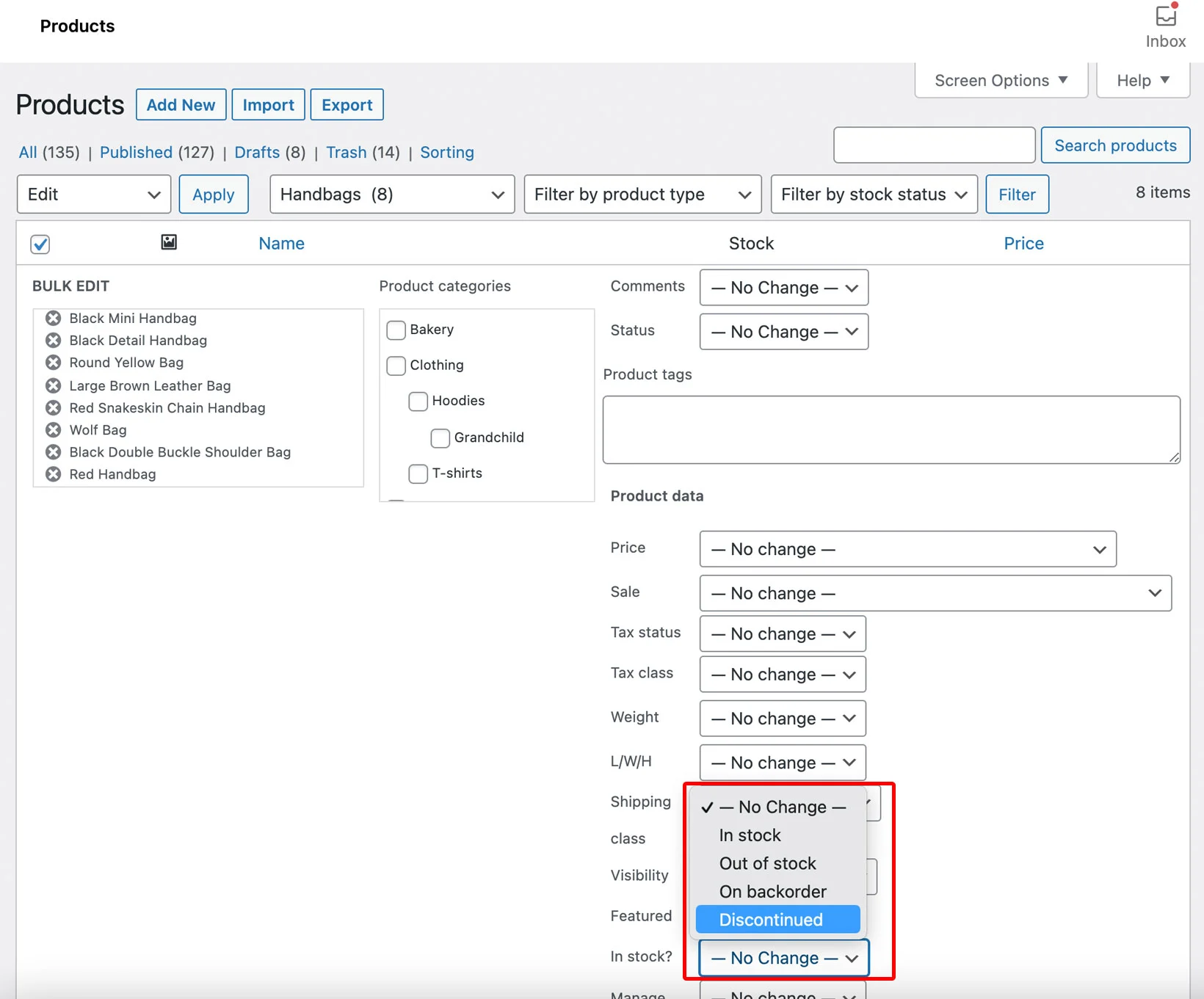
- Discontinue WooCommerce products in bulk
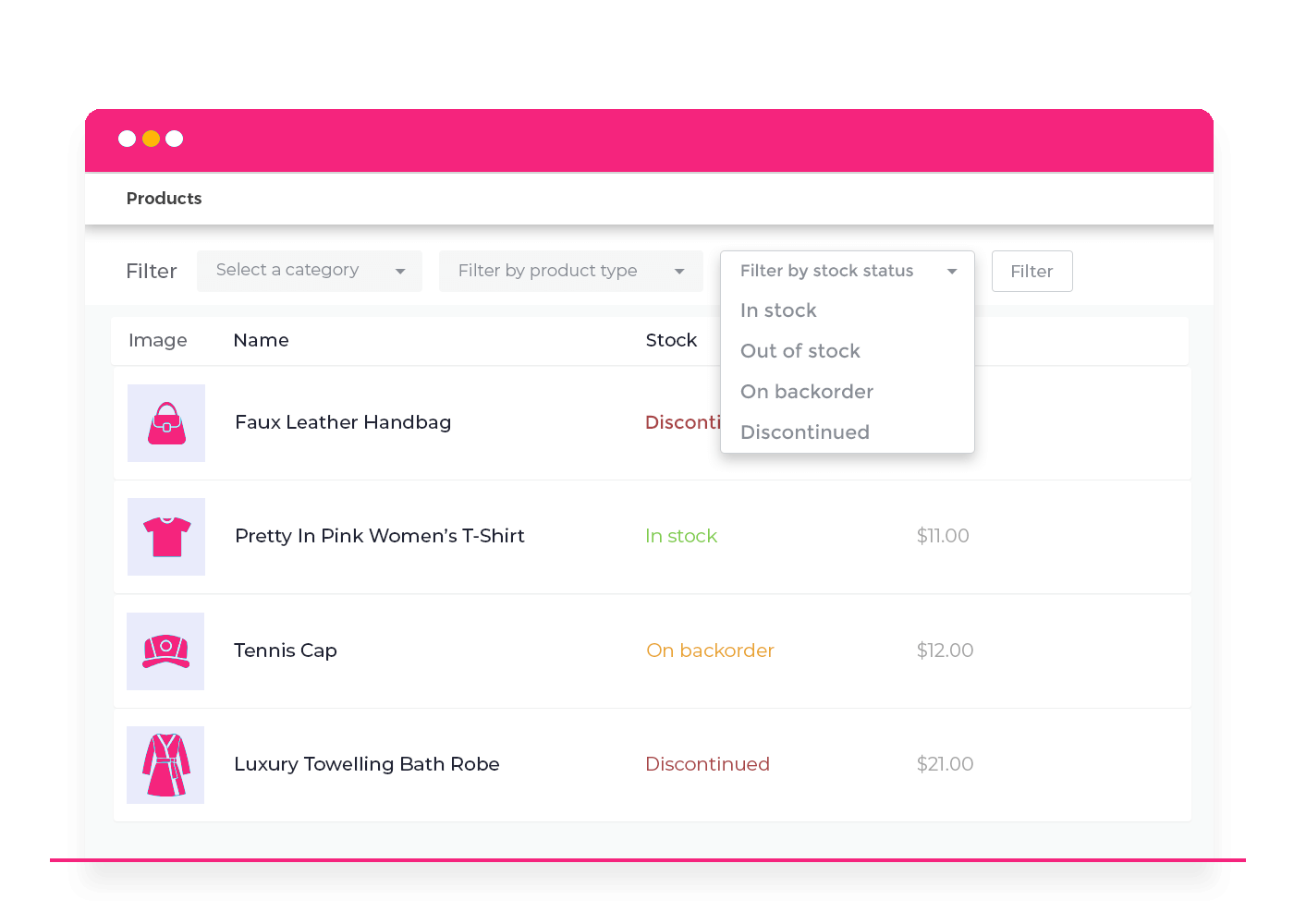
- Keep discontinued products separate in inventory and stock reports
- View discontinued products separately in the WordPress admin
Packed with features
With everything you need to manage inactive or end of life products, look no further than WooCommerce Discontinued Products!
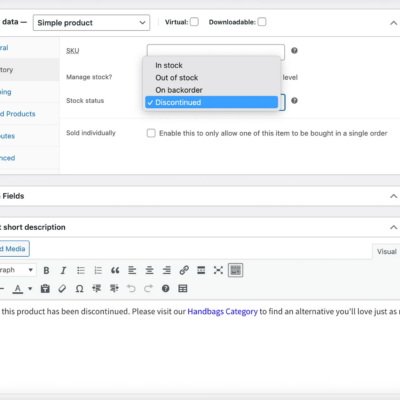
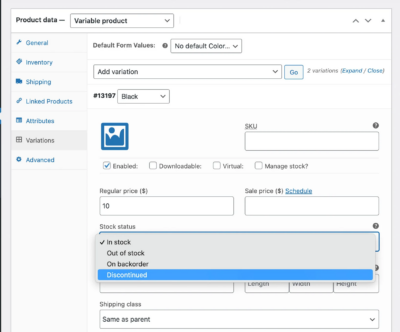
Discontinued stock status
Manage WooCommerce discontinued products separately from out of stock products. No more confusion.
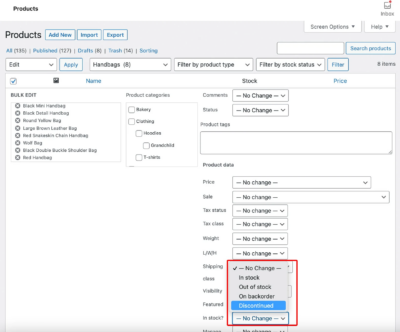
Quickly discontinue products
Simply change the stock status of a product “Discontinued”, or discontinue multiple products in bulk.
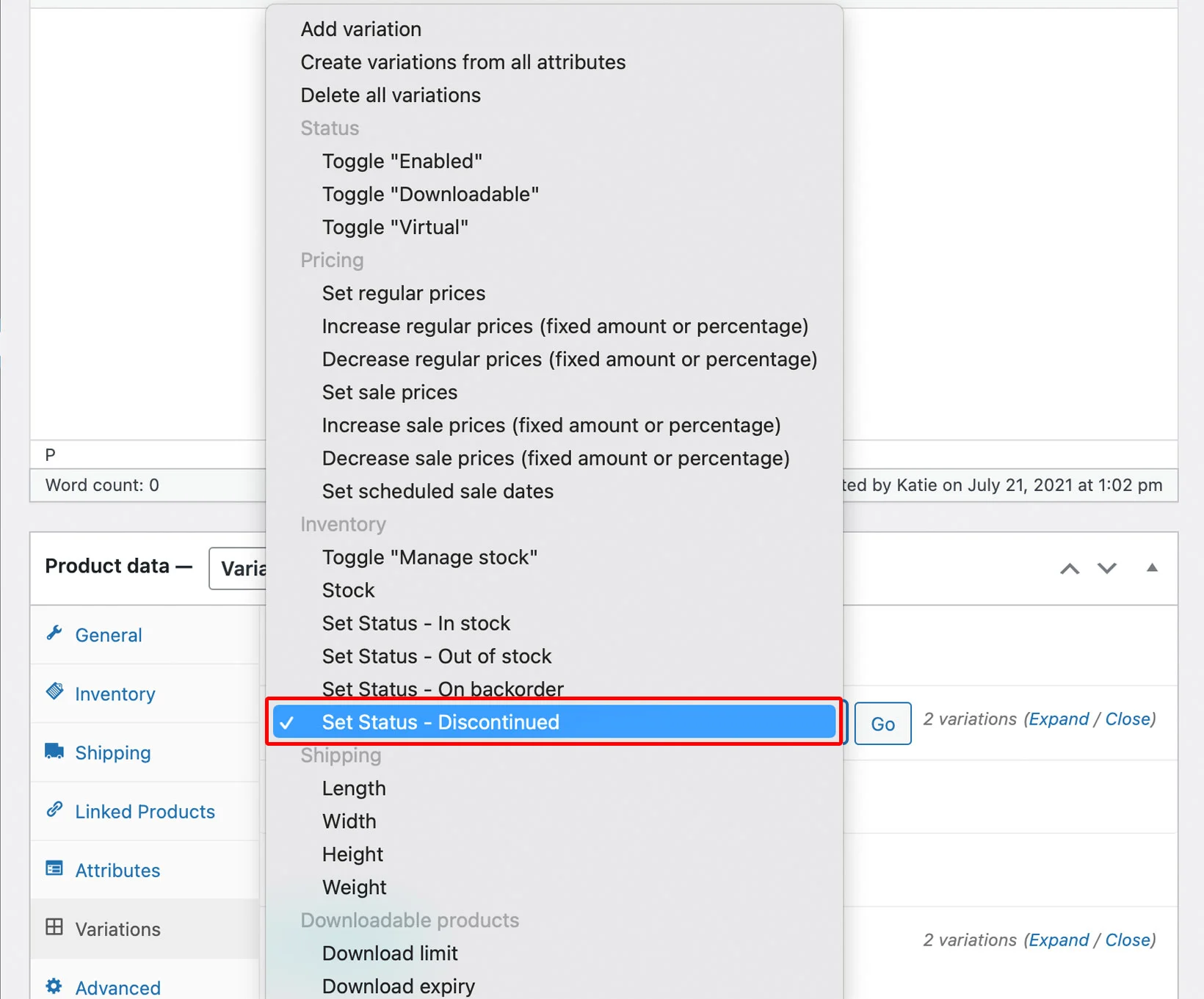
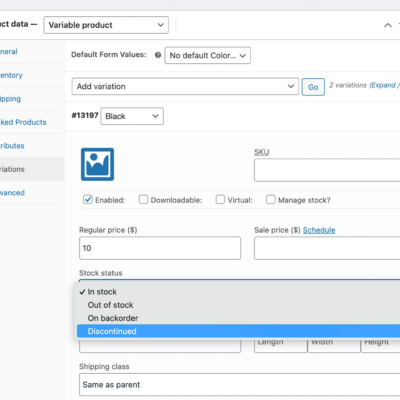
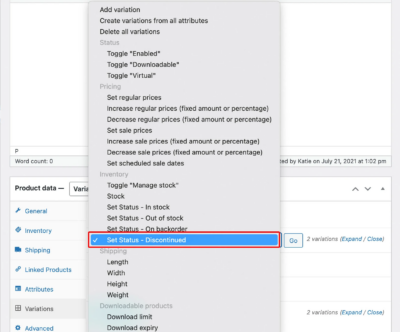
Discontinue variations
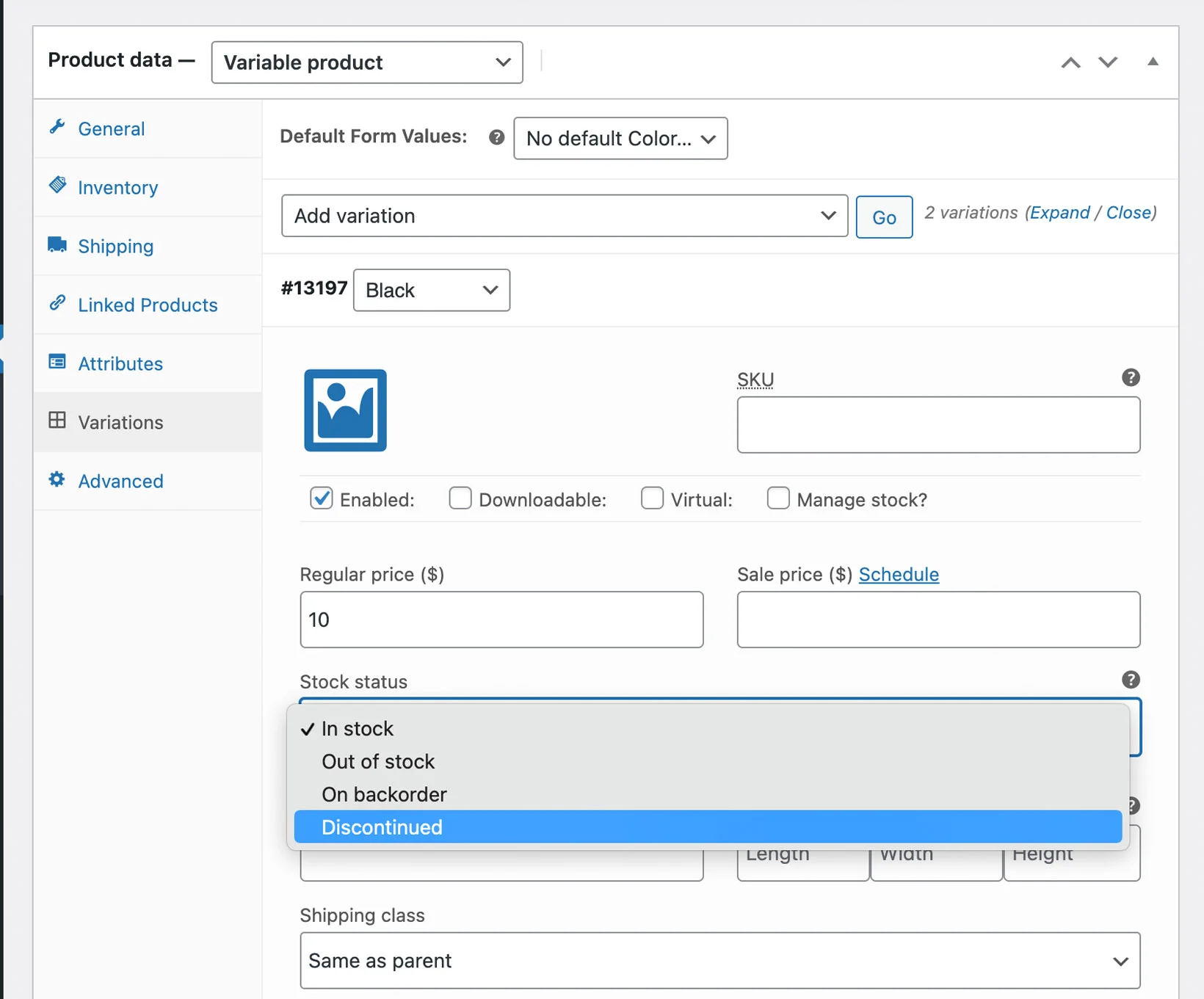
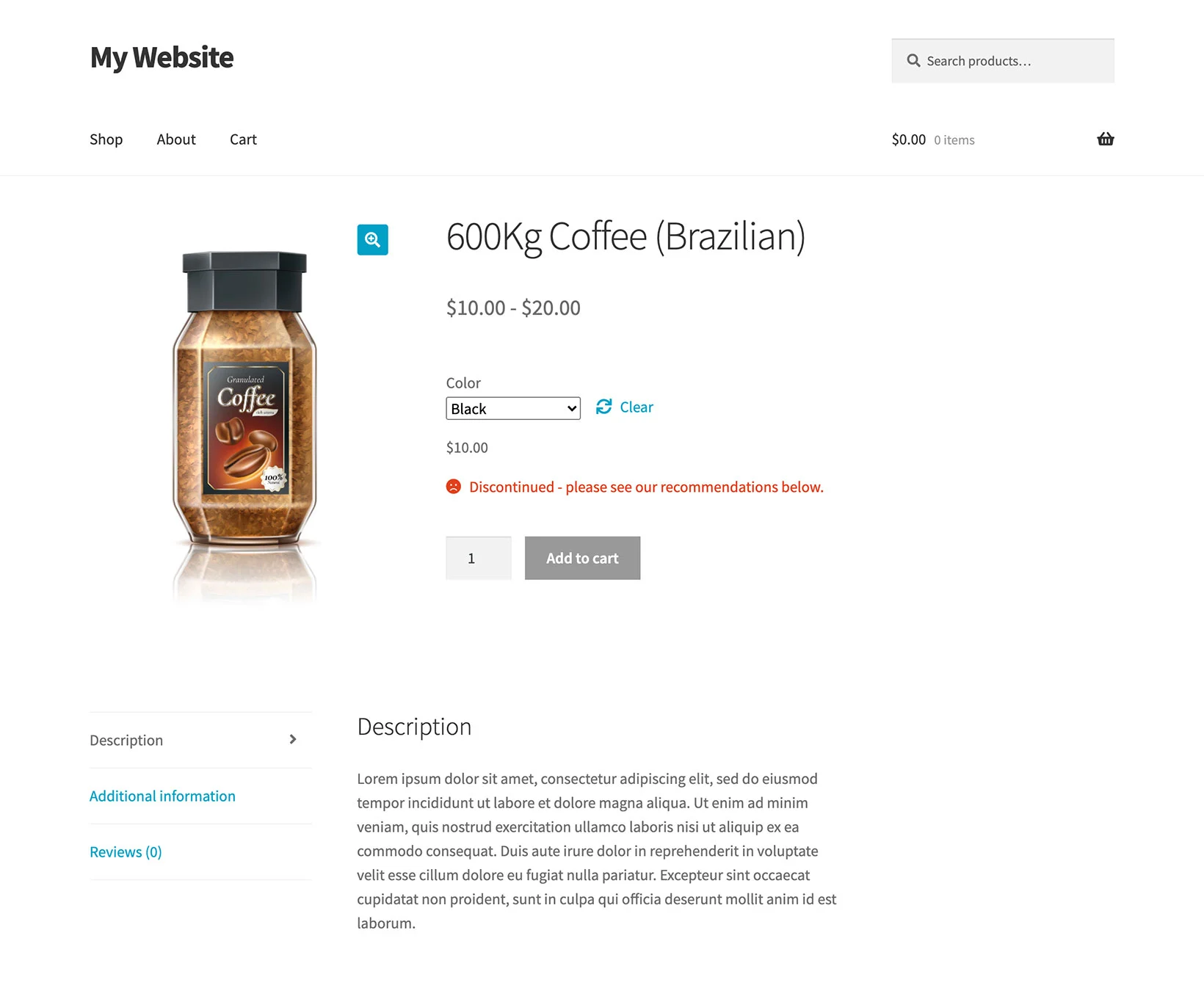
Discontinue individual variations while leaving others active, or instantly disable all variations for a product.
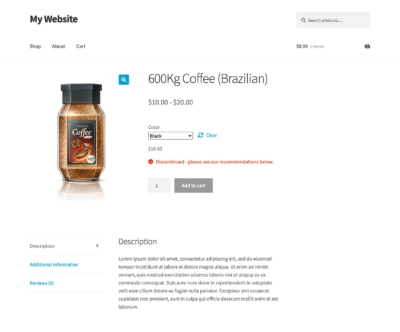
Custom message
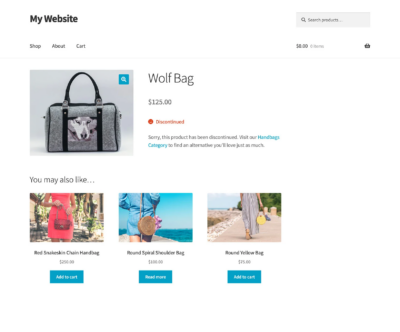
Keep customers informed by choosing your own wording to display on discontinued products.
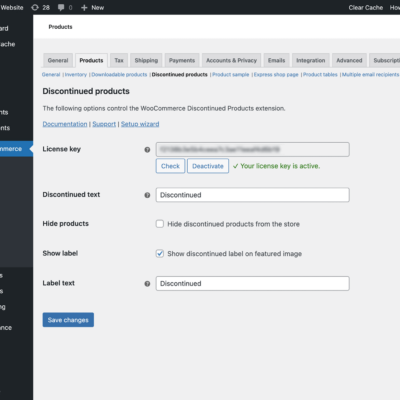
Discontinued visibility
Keep discontinued products visible for SEO reasons, or hide them from your store without deleting them.
Third party integrations
Compatible with most plugins that use stock statuses, including WooCommerce Lead Time and Product Table.
A team you can rely on
You’ll get updates & support from a team of experts ready to help you sell your way.
Support that solves issues
Help from knowledgeable developers who talk like humans. We even work with other plugins on compatibility issues.
Loved by developers
Extend or adjust functionality easily — hooks & base components are included to promote upgrade-safe customizations.
Merchant-focused
Store employees are the ones using our plugins every day — we ensure they’re easy-to-use and get the job done quickly.
Detailed knowledge base
Our documentation is extensive and covers configuration, tips, and guidance. And for any lingering questions, a helping hand is a short email or chat away.
Ecosystem-friendly
Use our plugins alongside your favorites from other developers! Our plugins maximize compatibility with other extensions.
Built by seasoned pros
We’ve worked with over 100k Woo merchants since 2012, and have some of the top third-party core contributors on our team.
FAQ
Our world-class support starts here: How can we help?
-
What happens when a WooCommerce Product is discontinued?
The WooCommerce Discontinued Products plugin does everything you need to make your products inactive, without mixing them up with other stock statuses:
- The product can no longer be purchased.
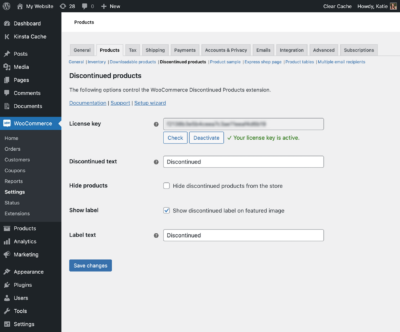
- The Discontinued text (which you can set on the plugin settings page) appears wherever your theme would normally display the In Stock/Out of Stock text.
- If you have enabled the image label option on the settings page, then a text label will also appear on the product image. This appears on your main shop pages as well as the product page.
- Depending on your plugin settings, the products may or may not be hidden from the rest of your shop.
- Search engines can still access the discontinued product pages, so you won’t lose the SEO value of these pages. (If you want to remove them from search results, then check out our advice on how to do this.)
- The product will not be included in your reports of other stock statuses such as ‘Out of stock’, so it won’t mess up your stock reports.
- You can view and filter by discontinued products separately in the WordPress admin.
-
Can I sell my remaining stock before discontinuing a product?
Yes! The plugin provides a choice of two ways to discontinue a product in WooCommerce:
- Immediately – Change the stock status to ‘Discontinued’, and it stops being purchasable immediately.
- When stock runs out – Alternatively, for products/variations where you are actively managing stock, you can tick a box to automatically discontinue it as soon as the stock level reaches zero. This is the best way to use up your remaining stock before removing the product from sale.
-
What product types are supported?
WooCommerce Discontinued Products works with any product type that can have a stock status. This includes simple products, variable products, grouped products and product types added by other plugins.
-
How do WooCommerce discontinued products work with variations?
You can choose whether to discontinue specific variations only, or mark all the variations for a particular product as discontinued.
-
Do discontinued products still appear in search engines?
Your discontinued product pages have SEO value, and it would be a shame to lose this. As a result, they will still appear in search engines – even if you have chosen to hide them from the rest of your shop.
If this isn’t what you want then we have provided advice on how to remove discontinued products from search results.
-
What happens if I deactivate the plugin?Discontinued Products for WooCommerce works by adding a “Discontinued” stock status to WooCommerce. If you deactivate or delete the plugin then this stock status is no longer available, so products can no longer be marked as discontinued. On deactivation, all discontinued products are automatically marked as “Out of stock”. This ensures they remain non-purchasable. If you reactivate the plugin in the future, the products will revert to “Discontinued” status. (So if you make product changes while the plugin is deactivated, it’s a great idea to double check your stock settings when reactivating!)
-
Will it work with my theme and other plugins?
We have tested our products with a range of free and premium themes and are confident it will look great with your theme. Our plugin support includes helping with theme-related conflicts. However, theme issues are very unlikely because we use default WooCommerce classes & styles wherever possible vs custom styling.
-
What are the purchasing options?
Clicking the Buy button above will take you to the purchase options. You can purchase an annual software license, and cancel at anytime.
Annual licenses are renewed once a year. As long as you have an active license, you will receive support, plugin updates and new features. If your license ever expires then you can continue using the plugin, but won’t receive any further updates or support.
-
Does the plugin work in my language?
Yes! Our plugins are designed to work with any WordPress translation plugin such as WPML, WeGlot and TranslatePress. This makes it easy for you to translate the text into any language and use it on multilingual websites.
-
What are the minimum requirements to run the plugin?
Our plugins are fully tested with the latest versions of WordPress and WooCommerce. We always recommend running the most up-to-date version, but we also support older installations:
- WooCommerce 6.5 or greater (tested to 8.5.2)
- WordPress 6.0 or greater (tested to 6.4.3)
- PHP 8.0 or greater (tested to 8.1.27)
- MySQL 5.7.8 or greater / MariaDB 10.3 or greater
Current version
| Version | 2.0.2 |
| Last updated | 09 Jun 2025 |
Still have questions?
Check the Knowledge Base, and if you can’t find an answer there, send us an email.