


We’ve been working on something big. Splash Popup 2.0 is a complete rewrite – not an incremental update, but a ground-up rebuild of everything from the admin experience to the frontend rendering engine.
The original plugin did one thing: let you assign a WordPress page as a popup, with a separate page for logged-in and logged-out visitors. It was simple, and it worked. But over time it became clear that store owners needed more – multiple popups, smarter targeting, behavioural triggers, scheduling, and control over design – without the complexity of a dedicated marketing platform.
Version 2.0 delivers all of that.
Multiple popups, each fully independent
The biggest change in 2.0 is that you’re no longer limited to a single popup. You can now create as many popups as you need, each with its own conditions, trigger, schedule, and appearance.
Managing them is straightforward: each popup has a priority number, and when more than one matches a visitor on a given page, the lowest number wins. That means you can run a general newsletter signup at priority 10, and a time-limited flash sale at priority 1 that automatically takes precedence for the duration of the campaign.
A proper popup editor

In v1, popup content came from a separate WordPress page – a workaround that made content management awkward. In 2.0, each popup has its own dedicated editor with two parts.
The settings editor is a tabbed interface covering conditions, triggers, schedule, and appearance – all in one screen, no page reloads. When you’re ready to design the content itself, clicking Edit Popup Content takes you directly into the WordPress block editor, where you can use any block on your site: text, images, buttons, columns, WooCommerce product blocks, and more.
For anyone starting from scratch, six pre-built templates are available: coupon code, newsletter signup, flash sale, feedback, exit intent, and free shipping. Apply a template to pre-load the block editor with a ready-made layout.
Five trigger types

Version 1 showed popups on page load, full stop. Version 2.0 adds:
- Page load – as before, but now with an optional delay in seconds
- Scroll depth – fire when the visitor has scrolled a set percentage of the page (1–100%)
- Cart total reached – fire on the cart page when the visitor’s cart hits a minimum total, ideal for surfacing free shipping thresholds
- Product added to cart – fire when a product is added to the cart, either for any product or a specific list of products
- Exit intent – fire when the visitor moves toward closing the tab or navigating away
Together these make it possible to show the right message at the exact moment it’s most relevant, rather than interrupting a visitor the moment they land.
Targeting that actually covers your store

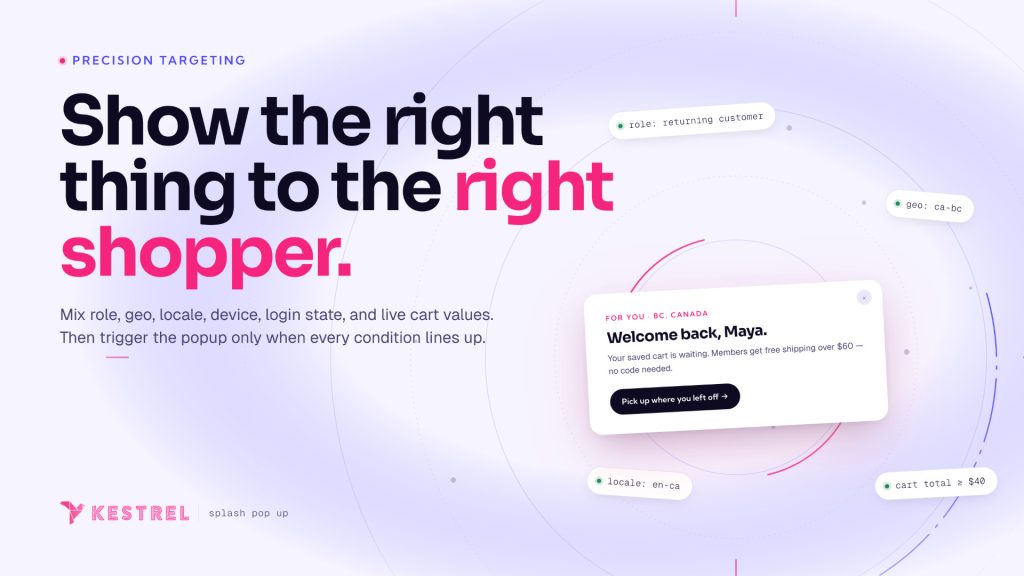
The original plugin’s targeting was limited to user login status. 2.0 expands this significantly across four dimensions.
Who sees it – target all visitors, logged-in users only, or logged-out visitors only. For logged-in users, you can narrow by role – useful if you want a popup to appear only for customers, not for administrators or staff browsing the store.
Which pages – choose from eight WooCommerce-aware contexts: Pages, Posts, Shop, Cart, Checkout, Product pages, Product categories, and Search results. Select multiple contexts per popup, and narrow any of them to specific products, categories, pages, or posts.
Which devices – enable or disable each popup per device type. Desktop, tablet, and mobile are detected by screen width (1024px+, 768–1024px, and under 768px respectively). All devices are targeted by default.
Which countries – restrict a popup to visitors from specific countries using WooCommerce’s built-in MaxMind geolocation. Useful for region-specific promotions without building separate storefronts.
Scheduling
Each popup can now be set to a date range. Enable scheduling, set a start date, an end date, or both – using your site’s local timezone – and the popup will only appear within that window. Outside it, the popup is silently skipped. No need to manually publish or unpublish for seasonal campaigns.
Appearance controls
Version 1 had no appearance settings – the modal looked however it looked. Version 2.0 introduces global defaults and per-popup overrides.
At the global level (WooCommerce → Settings → Splash Popup), you set store-wide defaults: modal size, entrance animation, overlay opacity, content padding, and close button colours. Individual popups inherit these by default, but any popup can override each setting independently – so a fullscreen exit intent popup can coexist with a small centred coupon popup without touching the defaults.
Modal sizes run from Small (400px) to Fullscreen. Entrance animations include slide up, fade, zoom, and scale.
View statistics
Each popup now tracks how often it’s been shown. The Stats tab displays total views alongside breakdowns for today, yesterday, last 7 days, last 30 days, and last 365 days – plus a bar chart of daily views over the last 30 days. Stats can be reset per popup at any time.
Upgrading from v1
If you’re running v1, your existing popup settings will be migrated automatically when you update. Your legacy page assignments are converted into proper v2 popup entries – one per user status that was configured – so nothing is lost. After that, you can take advantage of all the new features at your own pace.
What’s the same
The core behaviour hasn’t changed: a matching popup fires once, sets a cookie, and won’t appear again until the cookie expires. The cookie expiration is still configurable globally and can now be overridden per popup. Test mode – which bypasses the cookie so you can preview a popup on every page load – is still there, now as a clearly labelled toggle in the editor.
Splash Popup 2.0 is available now. If you’re an existing customer, update via your WordPress dashboard.
New to the plugin? You can buy it here!





Leave a Reply