


Order Delivery works with WooCommerce’s checkout block and classic checkout, and has built-in support for the plugins below. Where a plugin changes how Order Delivery behaves, this page says how.
Checkout block and classic checkout
Order Delivery works on both. On the classic checkout, the delivery or pickup details appear at the Date position at checkout you choose. On the checkout block, they always appear inside the Shipping options block, or the Pickup options block when the customer chooses pickup, and can’t be moved or removed in the editor. You don’t need to change any setting when you switch between the two.
CheckoutWC
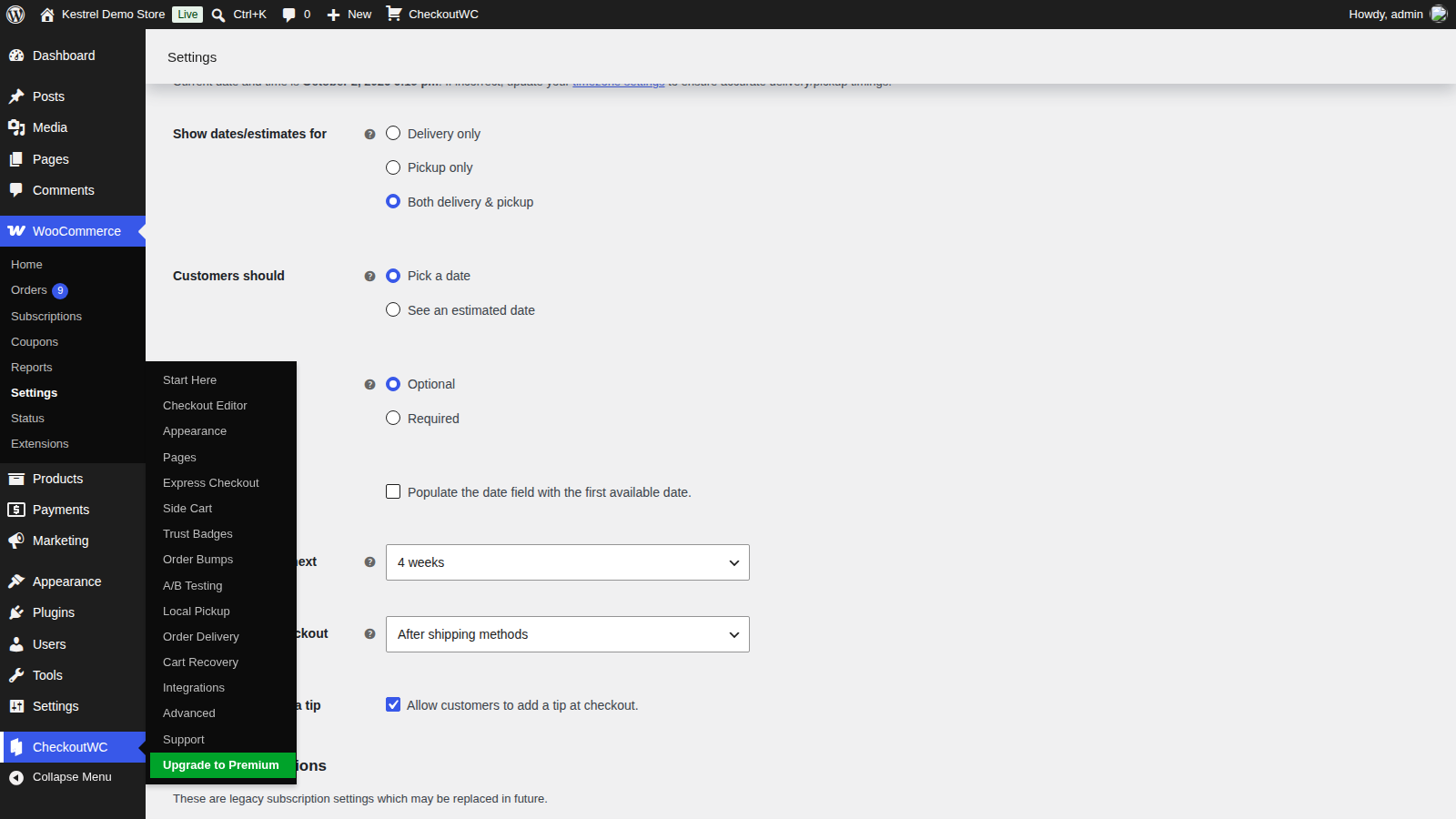
CheckoutWC changes three things:
- Date position at checkout lists CheckoutWC positions instead of the classic ones while CheckoutWC’s templates are on, such as Before shipping methods and After shipping methods (the default).
- CheckoutWC’s own local pickup counts as pickup, so it uses your Pickup scheduling.
- The CheckoutWC menu gets an Order Delivery entry that opens the Order Delivery settings.
CheckoutWC’s Pro and Agency plans include Order Delivery; see Get started with Order Delivery for how to redeem it.

WooCommerce Subscriptions
With WooCommerce Subscriptions 3.0 or later, renewals get delivery dates automatically and customers can change them from their account. See Order Delivery with WooCommerce Subscriptions.
Local Pickup Plus
When a customer chooses a Local Pickup Plus pickup method, Order Delivery shows no date, because Local Pickup Plus handles its own pickup scheduling. Delivery methods still get Order Delivery’s dates.
Table Rate Shipping
With Table Rate Shipping, every Shipping methods list in Order Delivery (on days, time frames, ranges and tips) lets you pick individual table rates as well as the whole Table Rate method.
Shipping Multiple Addresses
When a customer uses Shipping Multiple Addresses to ship one order to several addresses, Order Delivery doesn’t show a date for that order.
PDF Invoices & Packing Slips
With PDF Invoices & Packing Slips, the delivery or pickup date and time frame are added to every document automatically. There’s no setting to turn on.
Print Invoices & Packing Lists
With Print Invoices & Packing Lists, the delivery or pickup date and time frame are added to the documents automatically.
Translation plugins and WPML
Order Delivery comes with translations for many languages and follows your site language. To change its built-in text, use a translation plugin; see changing text in a plugin.
With WPML String Translation, your Delivery instructions, Pickup instructions, Tip heading and Tip message can be translated like other admin texts. Dates use your WordPress Date Format, or the format of the active translation.
Other pickup plugins
Order Delivery recognizes WooCommerce’s own local pickup, CheckoutWC’s and Local Pickup Plus. A pickup method from most other plugins is treated as delivery, so it gets your Delivery scheduling rather than Pickup scheduling.